



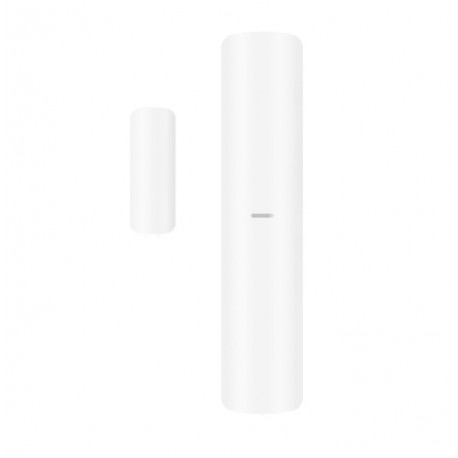
Hikvision DS-PDMCK-EG2-WE MC+Shock sensor
Magnetic contact combined with shock and tilt detection
2 wired input extensions
Fully remote configurable through APP
Multiple enrollment methods and easy installation design
Frequency hopping against jamming for reliable transmission
HIKVISION DS-PDMCK-EG2-WE (MC+)
Wireless Magnetic Contact with Auxiliary Input – AX PRO Series
The HIKVISION DS-PDMCK-EG2-WE (MC+) is a wireless magnetic contact detector designed for reliable opening detection of doors and windows within Hikvision AX PRO alarm systems. It offers enhanced functionality with an integrated auxiliary input (MC+), allowing connection of third-party wired detectors.
The device detects the opening and closing status by monitoring the magnetic field between the sensor and magnet, triggering an alarm when separation occurs. The additional input terminal enables integration of external sensors such as wired contacts, roller shutter detectors, or other alarm devices, increasing system flexibility.
Using secure encrypted wireless communication, the DS-PDMCK-EG2-WE ensures stable and reliable signal transmission to the control panel. Its compact and modern design allows for easy installation on doors, windows, and various entry points.
Designed for residential and commercial applications, this device provides extended protection and versatile integration options in a single unit.
In summary, the HIKVISION DS-PDMCK-EG2-WE (MC+) delivers a smart, flexible, and reliable contact detection solution, combining wireless convenience with wired expansion capability.
Key Features:
Wireless magnetic contact detector (AX PRO series)
Integrated auxiliary input (MC+) for wired devices
Reliable door and window opening detection
Secure encrypted wireless communication
Supports integration of third-party sensors
Compact and easy-to-install design
Ideal for residential and commercial security systems
Once the user has seen at least one product this snippet will be visible.
Recently viewed Products
To install this Web App in your iPhone/iPad press
and then Add to Home Screen.