



True
SKU: DS-K1T802E

HIKVISION DS-K1T802E Standalone toegangscontrolekaartterminal

Standalone access control card terminal
3000 card and 10000 event storage
Access control function
Communication via TCP/TP
Offline event alarms upload


  • Identificatietechnologie

Deze combinatie bestaat niet.


Loading offers


Hikvision DS-K1T802E – Standalone IP Access Control Terminal .


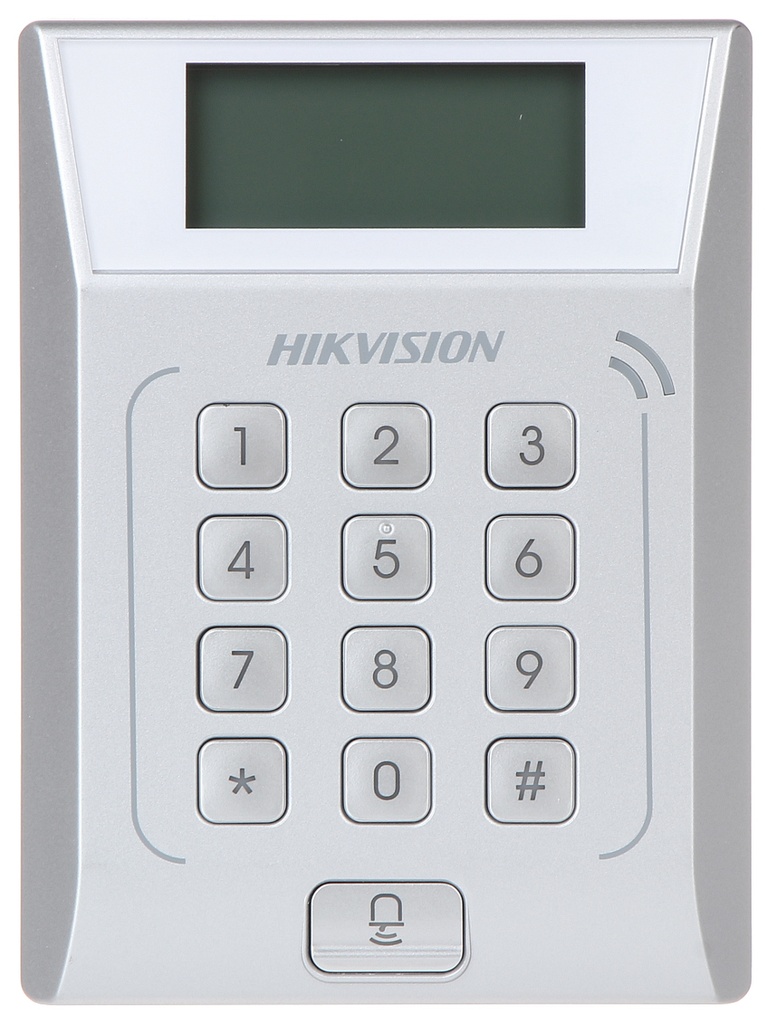
The Hikvision DS-K1T802E is a compact and reliable standalone access control terminal designed for secure entry management in offices, commercial buildings, and residential facilities. It combines a contactless EM card reader with a numeric keypad and built-in controller, enabling flexible authentication options and convenient local management. Communication is supported via TCP/IP for network connectivity, allowing integration with access control systems and software platforms. 


Key Features: 

  • Standalone access control terminal with integrated card reader and controller. 

  • EM card authentication (RFID 125 kHz). 

  • Multiple authentication modes: card, PIN code, or a combination of both (configurable). 

  • TCP/IP network communication for integration with access control systems and software. 

  • 128 x 64 STN display for time/date and menu navigation. 

  • 13-key keypad including numeric keys and a doorbell button. 

  • Local processing and decision-making—device can operate offline and upload events when reconnected. 

  • Stores up to 3,000 users (cards/PINs) and 10,000 event records

  • Integrated door control interfaces: exit button input, door contact sensor, lock relay output, and alarm/doorbell output. 

  • LED indicators and buzzer for user feedback and status. 

  • Operates on 12 V DC power and functions reliably in temperatures from approximately -20 °C to +65 °C

Identificatietechnologie EM-125Khz
SPEC SHEET
This is a preview of the recently viewed products by the user.
Once the user has seen at least one product this snippet will be visible.
Recently viewed Products

To install this Web App in your iPhone/iPad press and then Add to Home Screen.