



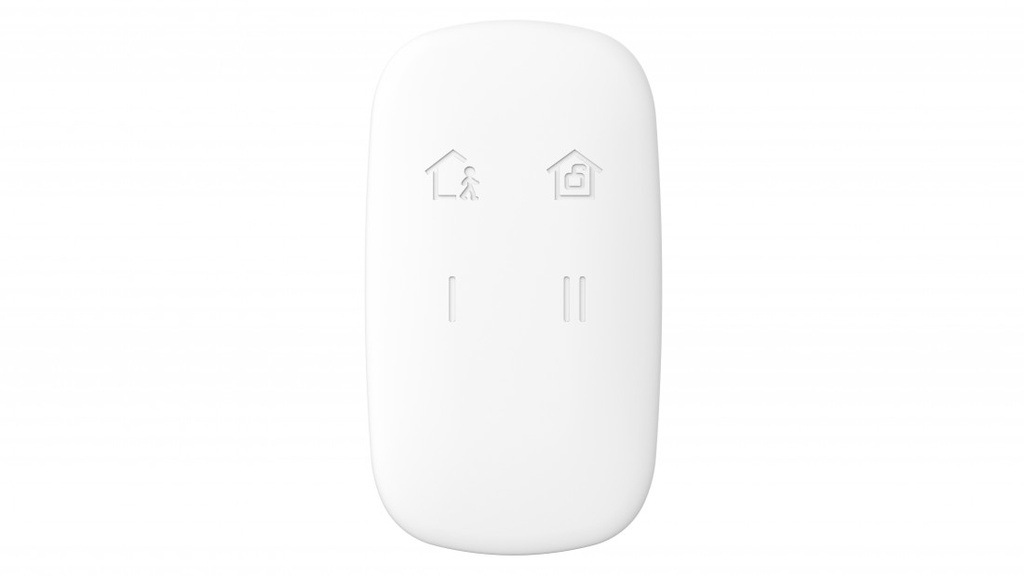
Télécommande Hikvision DS-PKF1-WE
Operation: stay/away arming and disarming
Keyfob lock and unlock function
Fully remote configurable through App
Multiple enrollment method and easy installation design
Easy replaceable battery with PCB protected
Frequency hopping against jamming for reliable transmission
HIKVISION DS-PKF1-WE
Wireless Keyfob (Remote Control) – AX PRO Series
The HIKVISION DS-PKF1-WE is a wireless keyfob remote control designed for easy and quick operation of Hikvision AX PRO alarm systems. It allows users to arm, disarm, and control the security system remotely with simple button commands.
Its compact and portable design makes it ideal for everyday use, allowing users to carry it on a keychain and control the system conveniently from anywhere within range.
The device features multiple function buttons, enabling partial arming, full arming, disarming, and emergency triggering, providing fast and intuitive control of the alarm system.
With secure encrypted wireless communication, the DS-PKF1-WE ensures reliable signal transmission and protection against unauthorized access, maintaining a high level of system security.
It is especially useful for homeowners, employees, or security personnel who require quick access to alarm control without using a keypad or mobile app.
The DS-PKF1-WE offers long battery life and low power consumption, ensuring durable and maintenance-free operation over time.
In summary, the HIKVISION DS-PKF1-WE delivers a convenient, portable, and secure remote control solution, enhancing user interaction and system accessibility.
Key Features:
Wireless keyfob remote control (AX PRO series)
Arm, disarm, and control system remotely
Compact and portable (keychain design)
Multiple function buttons (full/partial arming, panic)
Secure encrypted wireless communication
Easy and intuitive operation
Long battery life and low power consumption
Ideal for residential and commercial use
Once the user has seen at least one product this snippet will be visible.
Recently viewed Products
To install this Web App in your iPhone/iPad press
and then Add to Home Screen.